Copier Algo and sheduler
-
 AdminKeymaster2 months, 2 weeks ago #6135
Let’s look at 2 important options in the operation of our software.
1. Copier
The copier allows us to completely copy all orders to the second broker when working with one broker. For example, you have set up profit trading with broker 1 and want the inputs on broker 2 to be exactly the same. That’s exactly what a copier is for.
The first thing to do is to launch a working strategy.
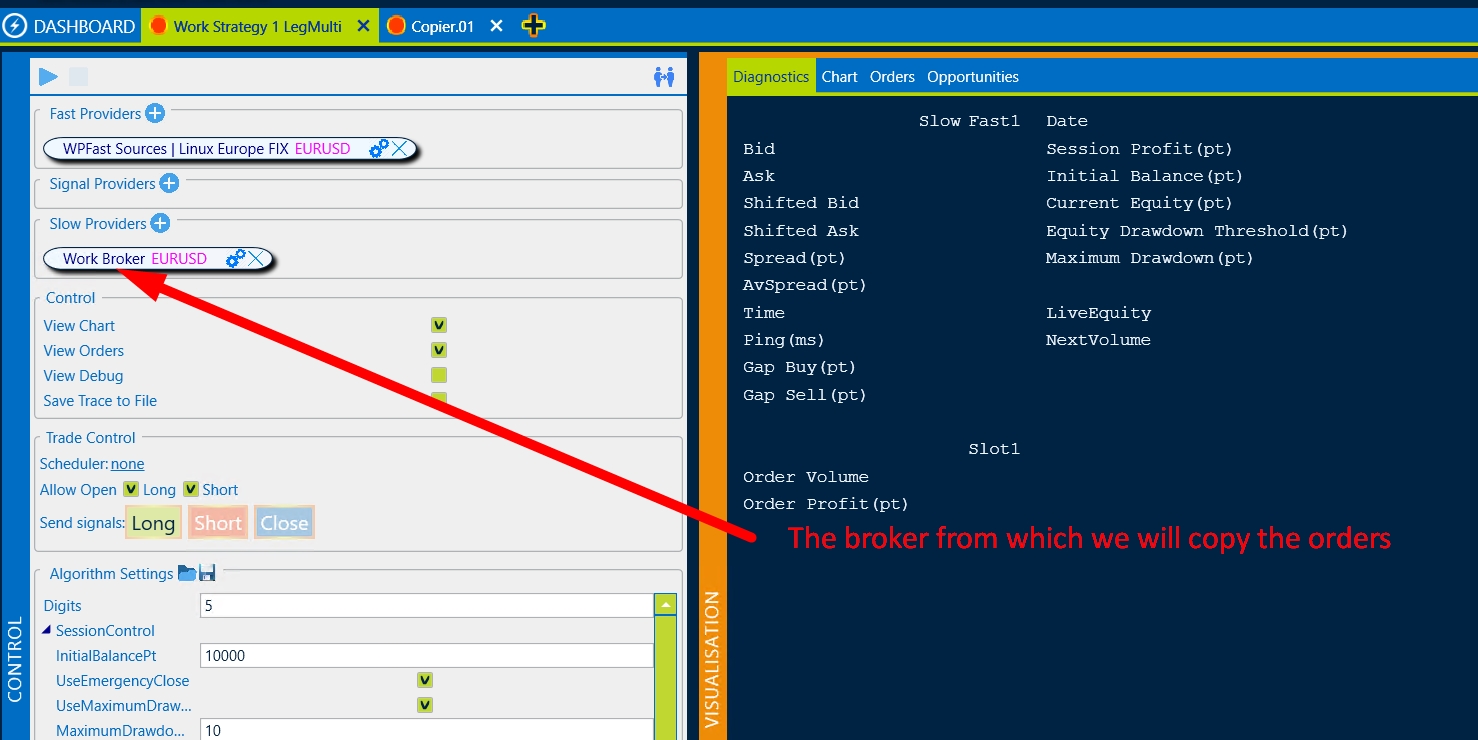
Second, create a copier strategy
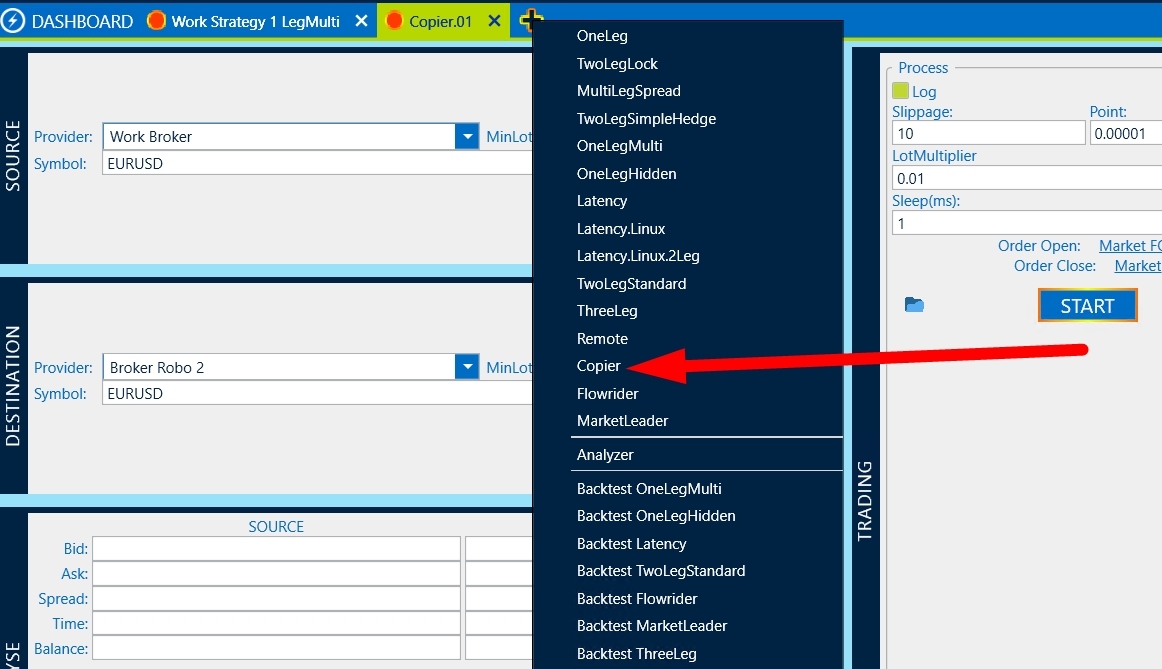
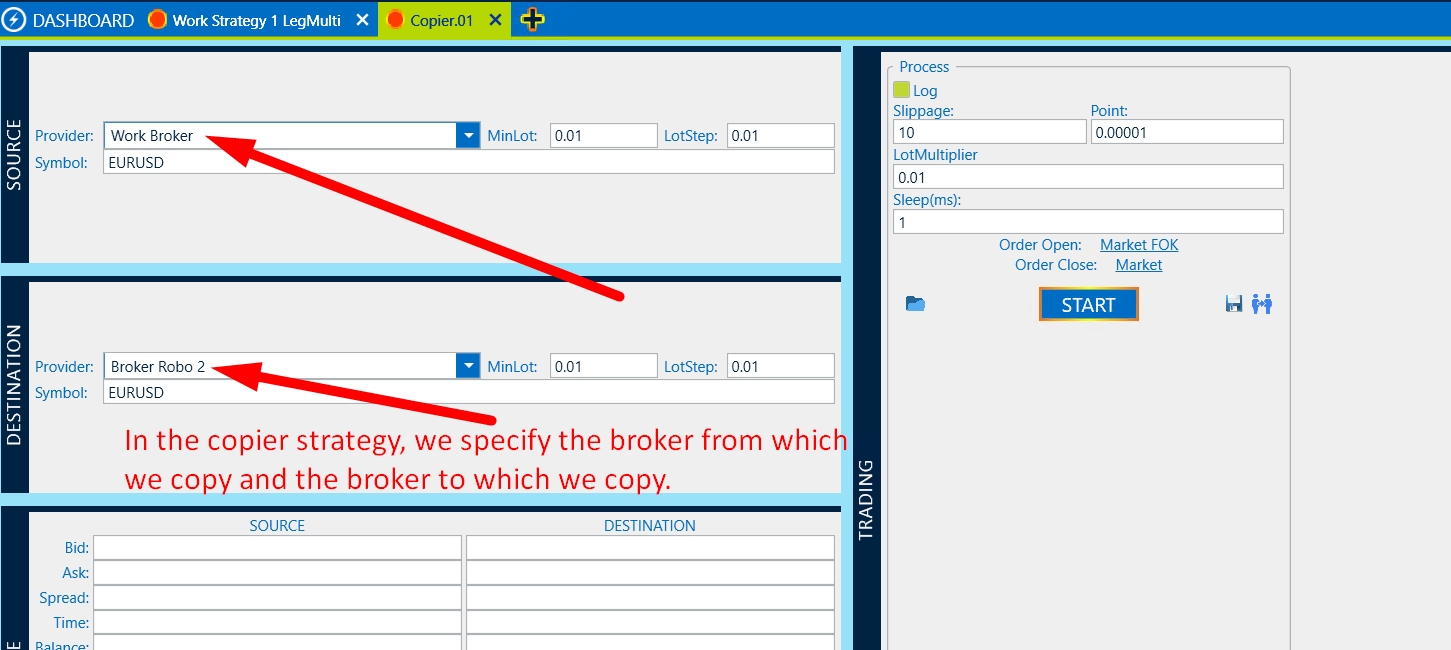
In the copier, we must specify the broker from whom we will copy the orders and the broker to whom the orders will be sent. Please note that the symbols must be specified specifically belonging to brokers, they may differ.
After you have started the Working Strategy and the copier, the Logged in OK message will appear in the copier and quotes will be sent to Source and Destination
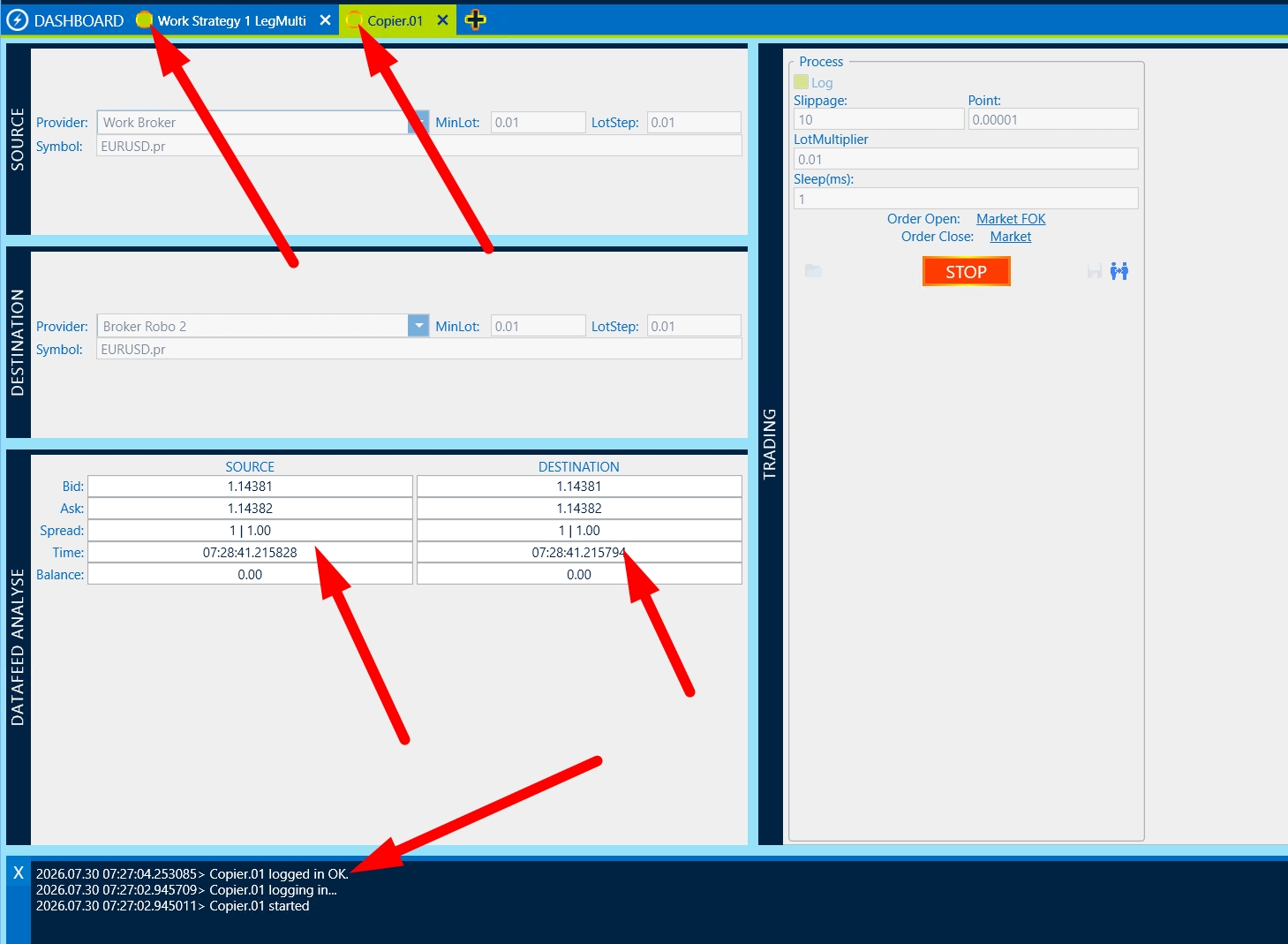
Please note that copying takes place instantly and without delay, but given that brokers can be different, slippage is possible. Before real trading, be sure to check your settings on the Demo account.
You must be logged in to reply to this topic.