Clicker in WesternPipsPrivate 7
The Clicker mode has been created to simulate manual operation. All transactions will take place with simulated buy/sell entry, as well as closing transactions, as if you were working manually in a trading terminal.
Setting up an option
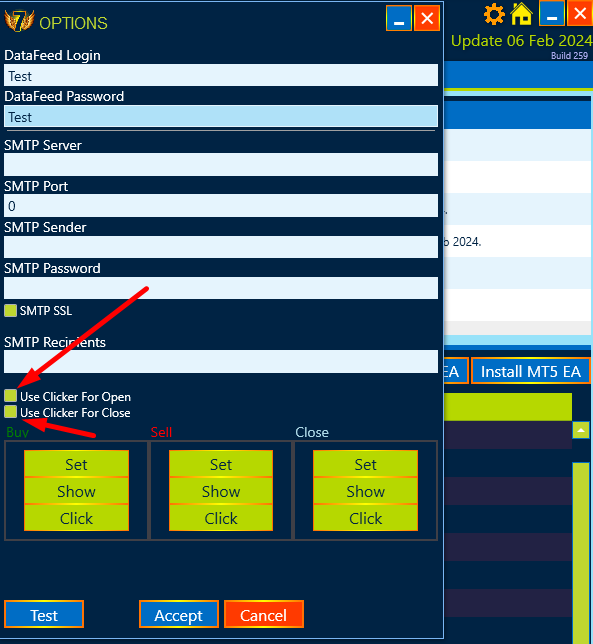
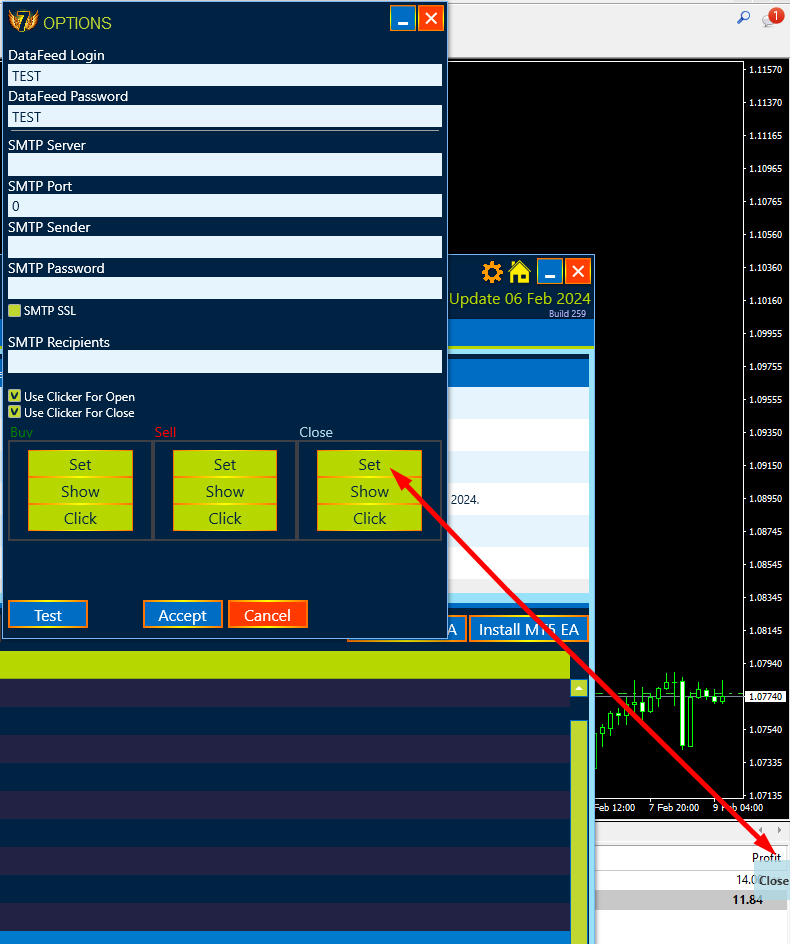
- Press the gear in the program
-
- Use Clicker for Open – Opening all trades with a clicker
- Use Clicker for Close – Closing all trades with a clicker
If both checkboxes are set, the work will be carried out entirely by the clicker.
Next, open your trading terminal, go to settings (CTRL +O) and allow trading in 1 click
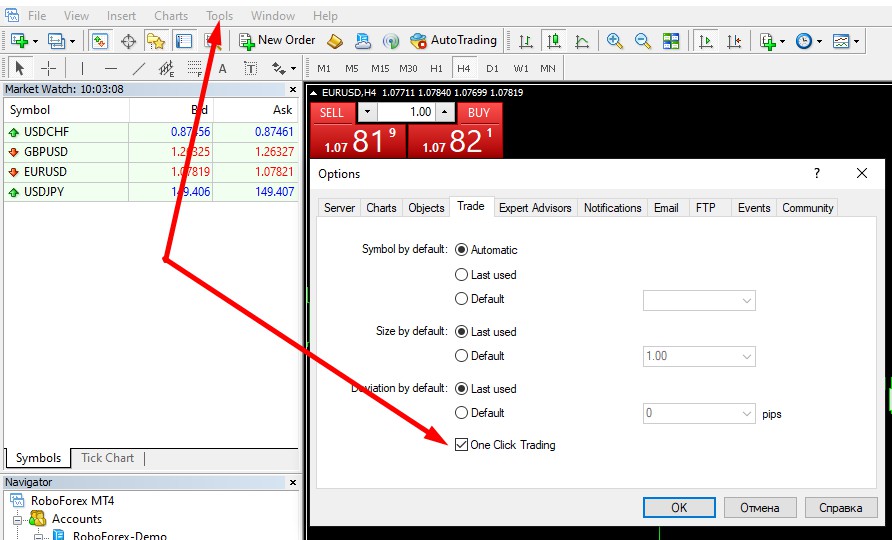
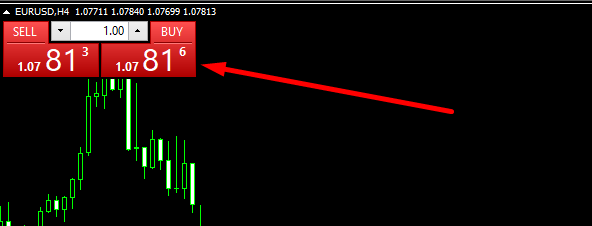
Enable the ability to trade quickly from the screen (ALT+T)
Now you need to go back to the clicker settings and select the desired areas for trading. Left-click on Set for Buy, move the mouse pointer to fast trading in the trading terminal, press CTRL on the BUY
button. We will see a green square on the quick trade button. We also set up a SELL.
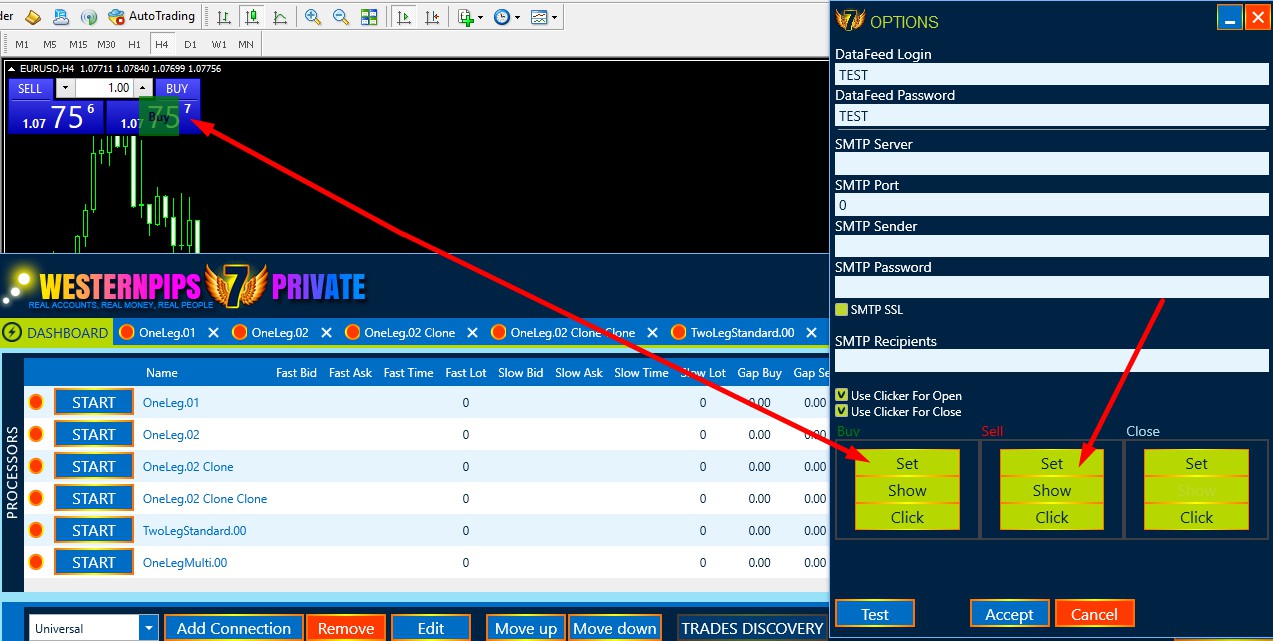
To determine the closing zone of a trade, open any trade in the trading terminal and select the zone with a cross. Be sure to check all your actions by clicking the Show button to make sure that you have
correctly specified the clicker zones.
Now, when you launch the strategy, your trades will be carried out using a clicker.
It is very important when working with this method not to move the trading terminal so that the configured trading zones are not knocked down.